 UniRemoteLab
Read a Switch with ESP32 and Drive an LED: digitalRead and Debounce
Digital input is the base of every button, switch and simple sensor. Here the ESP32 reads a switch on GPIO17, lights an LED while it is closed, and prints every change.
▶ Run it on a real boardFree as a guest for a few minutes, or with your university account
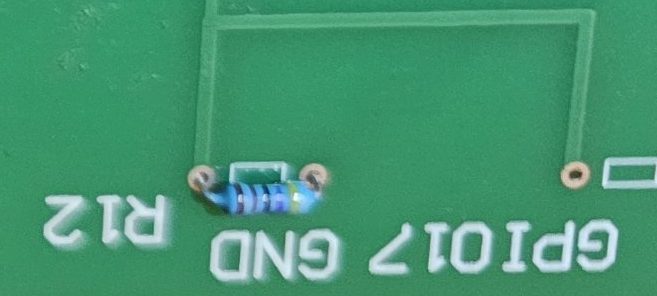
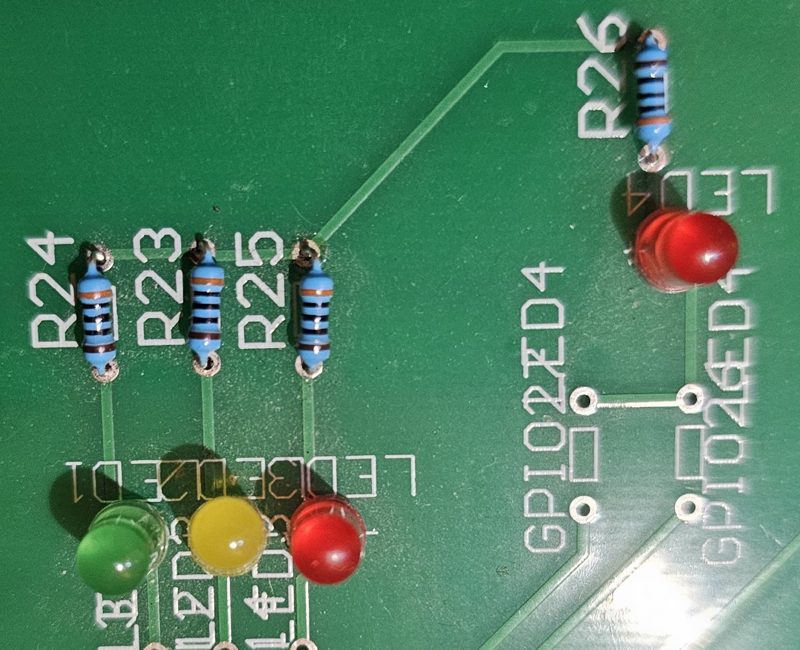
Wiring on the lab board
| Part | Pin |
|---|---|
| Switch (relay K4) | GPIO17 |
| Pull-down resistor R12 | 4.7 kΩ to GND |
| LED4 | GPIO27 |
Full code
// Experiment 3: controlling an LED with a remote switch (digital input)
// Relays: K4 = the switch (connects 3.3V to GPIO17, R12 = pull-down) and K12 = LED4 from GPIO27
// Switch K4 on and off from the relay card and watch the LED and the Serial Monitor
// ⚠️ GPIO17 is input only: never write pinMode(17, OUTPUT)

const int switchPin = 17;   // the remote switch (K4)
const int ledPin = 27;      // LED4 (K12)
int lastState = -1;

void setup() {
  Serial.begin(115200);
  pinMode(switchPin, INPUT);   // R12 on the board pulls it down to ground
  pinMode(ledPin, OUTPUT);
  Serial.println("Toggle K4 from the relay panel");
}

void loop() {
  int state = digitalRead(switchPin);
  digitalWrite(ledPin, state);      // switch closed = LED on
  if (state != lastState) {         // print only when the state changes
    Serial.println(state);
    lastState = state;
  }
  delay(50);
}
The libraries are already installed in the lab.
How it works
- Closing the switch puts 3.3 V on GPIO17, so the pin reads HIGH. When it opens, resistor R12 pulls the pin to ground so it reads a steady LOW instead of floating and picking up noise.
- Mechanical contacts bounce: the reading flips several times within milliseconds. So the code only accepts a change after it has stayed stable for 50 ms, using millis() rather than delay().
- On every confirmed change the code writes the same state to the LED and prints it: 1 when the switch closes, 0 when it opens.
Common mistakes and fixes
- The reading flips between 0 and 1 by itself
- The pin is floating: it needs a pull-down resistor, external or INPUT_PULLDOWN.
- One press counts several times
- That is contact bounce: add the millis() check as in the code.
- I wrote pinMode(17, OUTPUT)
- Don't: the pin is tied to a voltage source, and driving it as an output can damage the chip.
 DHT11 with OLED
 HC-SR04 distance
 SG90 servo